
Laptop Product Families: Consumer vs. Business vs. Workstation
Model families and names change by year and region. Use the exact model number and service documentation when ordering parts or checking repairability.
| Grade | Common product families | Typical use / notes |
|---|---|---|
| Consumer | Aspire, Swift, Nitro, Predator | Home, ultraportable and gaming |
| Business | TravelMate | Commercial laptops for business |
| Workstation | ConceptD 7 Ezel Pro / select ConceptD Pro (legacy) | Historically workstation-oriented; verify current availability and certification |
Classification is a practical buying/service guide, not a guarantee of ruggedness, repairability, warranty terms or professional software certification.
Acer Hardware Reference
Acer Keys Quick Reference
| Target Action | Primary Key / Combination | Description / Notes |
|---|---|---|
| BIOS Setup | F2 |
Tap repeatedly at power-on logo. |
| Boot Menu | F12 (Must Enable First) |
Disabled by default in BIOS configuration. |
| eRecovery System Reset | Alt + F10 |
Launches factory Windows recovery partition. |
| Battery Cutoff Switch | Bottom Pinhole (4 sec) |
Resets physical power cut switch under base cover. |
Model Series Breakdown
- Gaming Tier (Predator / Nitro): Dual thermal blowers, high-density heatsinks, secondary M.2 slots. Watch out for fragile keyboard ribbon connectors.
- Slim Tier (Swift / Spin): Thin metal chassis, soldered LPDDR memory, integrated battery packs.
- Everyday Tier (Aspire): Heavy plastic casing, loose hinge mounting posts, removable RAM modules on standard models.
Mandatory Step: Enabling F12 Boot Menu in BIOS
Acer laptops ship with the `F12` boot device menu toggled OFF by default:
- Power on the laptop and tap
F2repeatedly to enter BIOS Setup. - Use the right arrow key to navigate to the Main tab.
- Scroll down to F12 Boot Menu and change setting from
DisabledtoEnabled. - Press
F10to Save & Exit. Now pressingF12at boot will show your USB drives!
Pro Benchtop Repair Tips for Acer
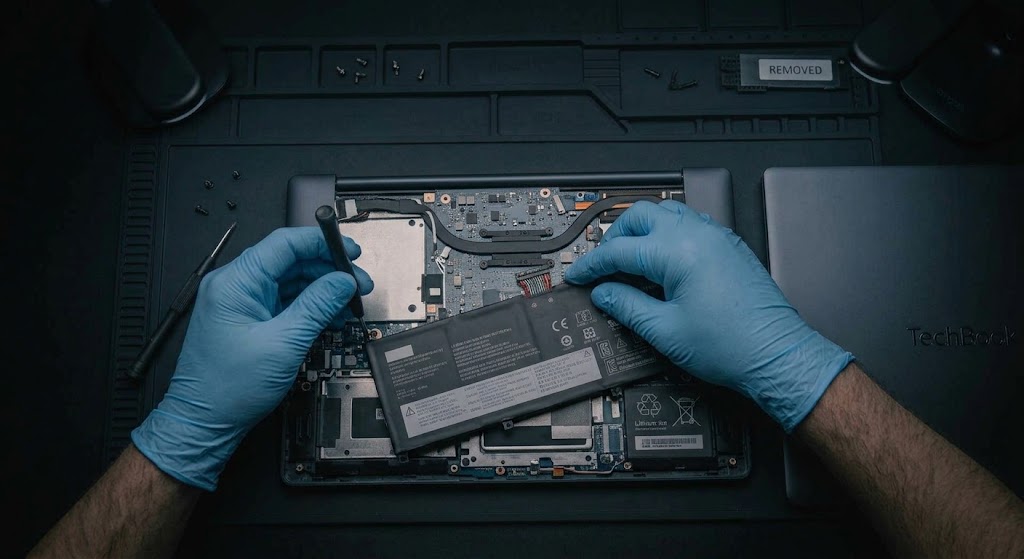
- Base RAM Door Microswitch Safety: Many Acer Aspire laptops have a safety microswitch near the RAM door or bottom cover screw hole. If the bottom cover is loose or unscrewed, the laptop will refuse to power on!
- Battery Reset Button: Insert a paperclip into the tiny battery battery pinhole on the lower chassis, hold for 4 seconds, and leave disconnected for 5 minutes to clear boot deadlocks.
Additional Bench Reference
- Model and serial: Use SNID/serial and model-specific service information for parts.
- Firmware caution: Only flash BIOS matching exact Acer model and revision with stable AC power.
- Validation: Check storage detection, charging, thermal stability and external ports.
Use the exact model service manual for disassembly, firmware and part compatibility.